
Mobile App Development in Toronto: Approaches, Skills & Costs
October 6, 2026 · Updated October 19, 2026
Short answer: mobile app development in Toronto covers product strategy, design, iOS and Android development (native or cross-platform), back ends, testing, app store launch and ongoing updates. Choose native when performance or device features matter, cross-platform frameworks such as React Native or Flutter for most business apps on a lean budget, and start with a focused first version. Cost depends on complexity; our app development cost guide gives hour and dollar ranges.
Toronto is a practical place to learn, plan, and launch mobile apps because the city brings together colleges, software development teams, startups, enterprise employers, and users with high expectations for digital experiences. Whether you are comparing courses for mobile application development, hiring an app development partner, or building your own product, the key is to match the app’s purpose with the right technology, design process, and long-term support plan.
What does mobile application development in Toronto involve?
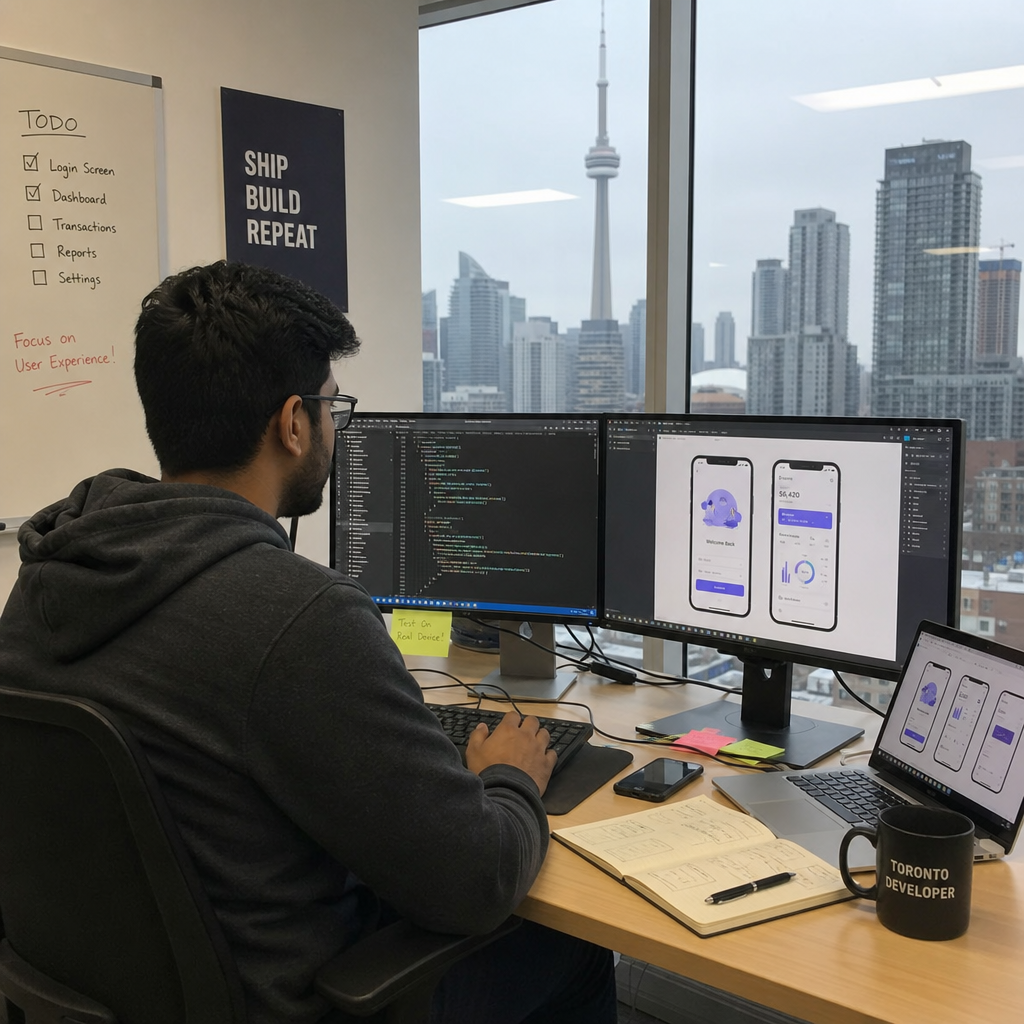
Mobile application development in Toronto involves more than writing code for a phone screen. It usually includes product strategy, app design, front-end and back-end development, testing, deployment to app stores, and ongoing improvement after launch. For students, it also means learning the tools used in modern mobile technology; for businesses, it means turning a service, workflow, or customer experience into reliable mobile solutions.
A simple local example is a Toronto healthcare startup building a secure booking app, a restaurant group launching loyalty features, or a student creating a portfolio app for transit, events, entertainment, or IoT. In each case, the app needs a clear user problem, a realistic technical plan, and a feedback loop after release.
The main app development paths
Choosing the right development approach affects cost, performance, hiring, maintenance, and user experience. There is no single “best” option for every project. The right choice depends on the product’s complexity, timeline, budget, and how deeply it needs to use device features such as camera, location, push notifications, Bluetooth, biometrics, or offline storage.
| Approach | Best for | Trade-offs |
|---|---|---|
| Native iOS or Android | High-performance apps, complex features, polished platform-specific UX | Requires separate skills and often more development effort |
| Cross-platform native | Apps that need broad reach with shared code | Some features may still need platform-specific work |
| Hybrid or web-based | Simpler content, internal tools, faster prototypes | May feel less native and can have performance limits |
| Low/no-code | Early validation, internal workflows, non-technical teams | Less flexibility for custom features and scaling |
Native development is often the strongest route when performance, security, or device integration matters. For iOS, Swift and SwiftUI are central tools, with Apple describing SwiftUI as a way to build apps across Apple platforms using Swift and shared tools (developer.apple.com). For Android, Kotlin is a major language in the ecosystem, and Android’s own developer resources position it as a modern language for Android development (developer.android.com).
Cross-platform frameworks such as Flutter and React Native are popular when a team wants one codebase serving both iOS and Android. They can be especially useful for startups and small businesses that need to move quickly, test the market, and avoid maintaining two fully separate apps from day one. However, teams still need to understand platform guidelines, mobile UX patterns, and native integrations.
How should you choose between native, hybrid, and cross-platform apps?
Choose native if the app depends on speed, advanced device features, complex animations, or a premium platform-specific experience. Choose cross-platform if you need strong coverage on both iOS and Android while keeping the team and budget lean. Choose hybrid or low-code when the app is simpler, the goal is validation, or the product is mainly an internal tool rather than a highly customized consumer experience.
A helpful decision process is to start with the user journey, not the technology. If the app’s value comes from fast booking, secure payments, location tracking, or real-time updates, technical quality becomes central to the business case. If the goal is to test whether customers want the concept at all, a lighter prototype may be the smarter first move.
Use these questions before committing to a stack:
- Who will use the app? Customers, employees, patients, students, drivers, members, or administrators may all need different experiences.
- Which platforms matter first? A Toronto business may need both iOS and Android, but some internal teams can begin with one.
- What device features are essential? Camera, GPS, push notifications, sensors, payments, and offline access all influence architecture.
- How often will the app change? Frequent updates require maintainable code, automated testing, and a clear release workflow.
- Who will maintain it? A student, freelancer, in-house software development team, or agency will make different technology choices.
Courses and learning options in Toronto
For learners searching for courses for mobile application development, Toronto offers college programs, postgraduate certificates, bootcamps, continuing education, and self-directed learning. The best option depends on your background. A beginner may need programming fundamentals first, while someone with web or software development experience can move faster into Android, iOS, APIs, cloud services, and portfolio projects.
Centennial College lists a Mobile Applications Development program, and prospective students should review the official program page for current admissions details, availability, and curriculum updates (centennialcollege.ca). George Brown Polytechnic’s Mobile Application Development and Strategy program includes courses such as Introduction to Android Development, Advanced Android Development, Introduction to Kotlin, Swift Fundamentals, Introduction to iOS Development, Advanced iOS Development, Mobile Application Strategy, and Cross Platform Mobile Development (georgebrown.ca).
George Brown’s published learning outcomes also highlight secure mobile applications, UI/UX, testing methodologies, solution architecture, and team-based mobile application solutions, which reflects the broader skill mix employers and clients often expect. That matters because app development is rarely just programming. Strong candidates can explain why an interface works, how data moves through APIs, how privacy risks are handled, and how testing improves reliability.
What to look for in a mobile development course
A useful program or course should help you build complete mobile apps, not just follow isolated coding tutorials. Look for hands-on projects, current iOS and Android tooling, back-end integration, UI/UX practice, testing, deployment, and career support. If the course includes a capstone, co-op, or work-integrated project, treat it as a portfolio opportunity rather than just an academic requirement.
A strong learning path usually includes:
- Programming fundamentals in a language such as Kotlin, Swift, JavaScript, or Dart.
- Mobile UI patterns including navigation, forms, accessibility, responsive layouts, and error states.
- Back-end basics such as REST APIs, GraphQL, authentication, databases, and cloud hosting.
- App design skills using wireframes, prototypes, and tools such as Figma.
- Testing and debugging across devices, screen sizes, network conditions, and operating system versions.
- Deployment knowledge for App Store Connect, Google Play Console, release notes, privacy details, and review requirements.
Skills that turn app ideas into usable products
A successful mobile app needs front-end polish and back-end reliability. The front end is what users touch: screens, buttons, gestures, content, forms, notifications, and visual feedback. The back end handles accounts, data storage, permissions, payments, integrations, analytics, and business logic.
Modern mobile solutions often use cloud services to reduce infrastructure work. Firebase, AWS Amplify, Supabase, and similar platforms can help teams move faster with authentication, databases, file storage, push notifications, and hosting. The benefit is speed, but the trade-off is architectural discipline: developers still need to understand data models, security rules, costs, and long-term portability.
AI and machine learning are also becoming part of everyday mobile technology. Not every app needs AI, but useful integrations can include personalized recommendations, image recognition, chat assistants, smart search, translation, fraud detection, or automated support. The important question is whether AI improves the user experience, not whether it sounds impressive in a feature list.
The mobile app development lifecycle
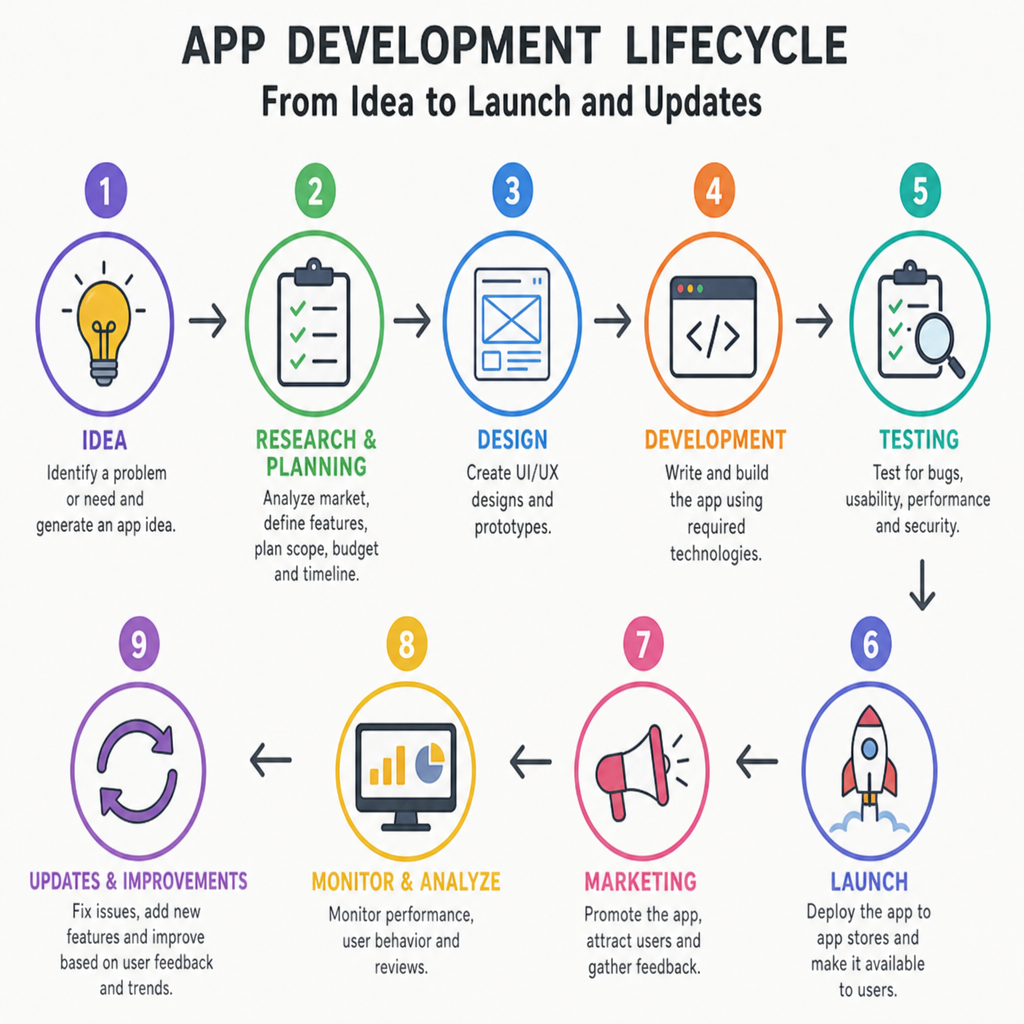
Even small mobile apps benefit from a structured process. Skipping planning may feel faster at first, but it often creates rework when the team discovers unclear requirements, weak onboarding, confusing navigation, or missing compliance needs.
A practical lifecycle looks like this:
- Discovery and validation: Define the user, problem, core feature set, and success criteria.
- Product planning: Prioritize must-have features, choose platforms, map integrations, and estimate effort.
- UX and app design: Create user flows, wireframes, clickable prototypes, and visual design systems.
- Development: Build the app, back end, APIs, admin tools, analytics, and integrations.
- Testing: Check functionality, performance, security, accessibility, usability, and edge cases.
- Deployment: Prepare store listings, privacy information, screenshots, release builds, and review submissions.
- Iteration: Use feedback, analytics, bug reports, and business goals to improve the app over time.
App store deployment is its own discipline. Apple reviews app submissions and updates through App Store Connect, while Google Play uses Play Console workflows and Android App Bundles for release preparation and device-optimized delivery (developer.apple.com). Planning for these requirements early helps avoid last-minute delays.
Building a portfolio for Toronto opportunities
For job seekers, a portfolio is often more persuasive than a list of tools. Employers and clients want to see that you can finish useful work, make trade-offs, and explain your decisions. A small but complete app is usually better than several unfinished experiments.
Choose portfolio projects that feel grounded in real local needs. You could build an event discovery app, neighbourhood services directory, fitness tracker, campus companion, booking tool, volunteer matching app, or simple e-commerce experience. Add a short case study explaining the problem, user flow, technology stack, screenshots, testing approach, and what you would improve next.
If you are coming from another field, connect your old expertise to mobile apps. A healthcare worker can build a patient reminder concept. A logistics coordinator can prototype delivery tracking. A designer can create a polished app design system and interactive prototype. This makes your software development journey more credible because it shows domain insight, not just technical curiosity.
Cost and timeline depend on complexity
The cost of mobile application development in Toronto varies widely because apps vary widely. A simple prototype, an internal business tool, a marketplace, a fintech product, and a real-time social platform do not require the same planning, design, engineering, testing, or maintenance. Instead of asking for a single average price, ask what level of product you actually need for the next stage.
The biggest cost drivers are usually platform choice, feature complexity, integrations, security needs, design depth, content management, analytics, testing, and post-launch support. Native app development may require more specialized work, especially if both iOS and Android are built separately. Cross-platform development can reduce duplicated effort, but it still needs experienced planning when the product depends on native features or complex performance. For planning ranges in hours and dollars, see our guide to how much it costs to build an app.
A lean first release should focus on the smallest version that proves value. For a business, that might mean booking, account creation, payments, and notifications. For a student, it might mean authentication, a clean interface, saved data, and one strong feature that demonstrates technical depth.
Practical next steps
If you are exploring mobile application development in Toronto as a learner, start by comparing program outcomes, not only course names. Look for Android, iOS, cross-platform work, app design, back-end integration, testing, and portfolio development. Then build one complete project that you can demo confidently.
If you are planning app development for a business, begin with discovery. Define the audience, the core problem, the first version, and the maintenance plan before choosing tools. The most successful mobile apps are not simply coded; they are shaped through clear strategy, careful design, reliable engineering, and continuous improvement after launch.
How Algoseed Labs works with Toronto companies
We’re a software and AI development team in Montréal, working the same Eastern Time hours as Toronto. We build native iOS and Android apps, cross-platform apps with React Native and Flutter, and the back ends behind them for companies across Canada. Every project starts with discovery, and you own the code, designs and documentation. See our mobile app development services, read how to choose an app development firm, or tell us about your app.